What is Easel.ly?
Easel.ly
is an easy-to-use infographic creator.
Infographics include flowcharts and visual aids that elaborate on a
particular subject and make it more attractive for the student to understand
and/or learn.
How can I use Easel.ly in my classroom?
●
Have students
present a topic or an issue through an infographic.
●
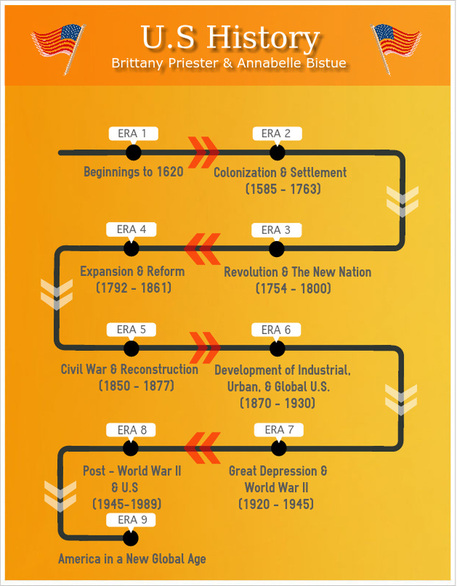
Encourage the
students to create a timeline infographic. It’s a great way to remember
important historical events.
●
Ask students to
present the past, and present of a place using a map and other graphics.
●
Ask students to
use an infographic to present a news article or even a book review.
●
The possibilities
are endless. Infographics can be used in every subject in so many creative ways
to bring life to your curriculum.
Show me some examples of Easel.ly!
I need this! How do I use Easel.ly?
●
Here’s a quick
video tutorial you can share with our students.
●
If you like the
paper how-to, check this out.



No comments:
Post a Comment